This academic project focused on the design and deployment of a complete Wi-Fi hotspot solution using a Raspberry Pi as a cost-effective and flexible network management platform. The aim was to reproduce a real-world public Wi-Fi infrastructure suitable for environments such as hotels or small commercial spaces, where user access must be authenticated and controlled.
Network Architecture and Access Point Configuration
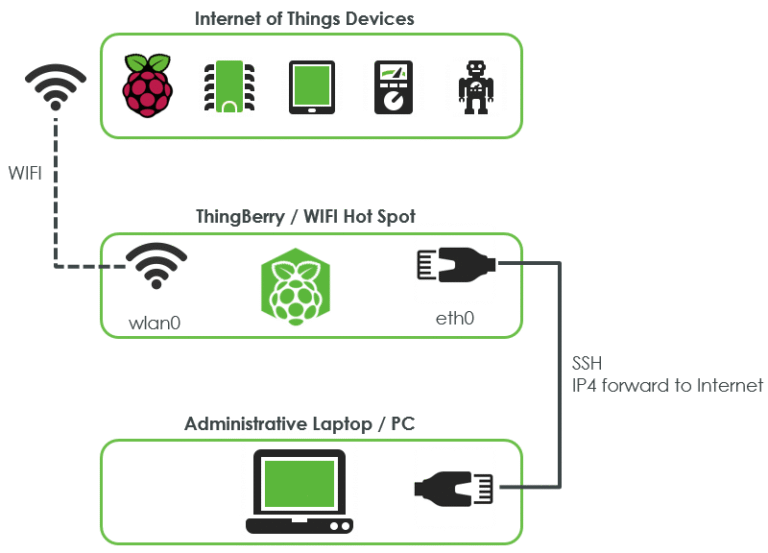
This diagram illustrates the overall architecture of the Raspberry Pi-based Wi-Fi hotspot and the communication flow between connected devices and the Internet.
You will find below the main steps involved in configuring the Raspberry Pi–based Wi-Fi hotspot system.
Step 1 : Configuration of the Raspberry Pi
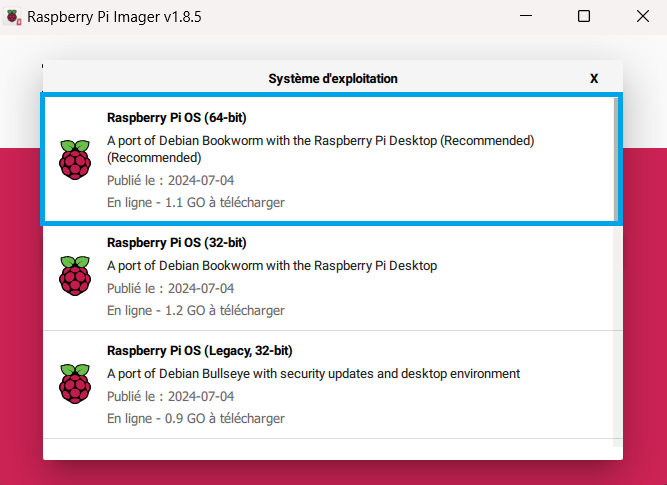
Raspberry Pi OS (64-bit) was installed and preconfigured using Raspberry Pi Imager.
Remote access via SSH and VNC was enabled to allow headless administration of the system.
Step 2 : Hotspot Network Setup
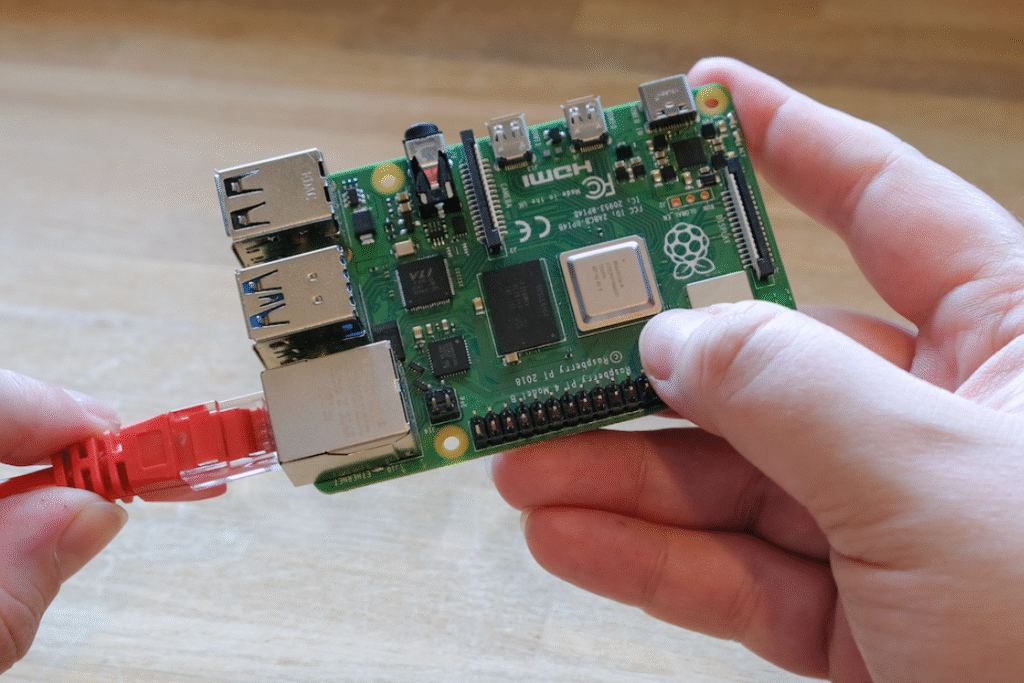
The Raspberry Pi was integrated into the local network via Ethernet and configured to operate as a wireless access point. Regional Wi-Fi settings were applied to ensure regulatory compliance.
Step 3 : Hotspot Deployment
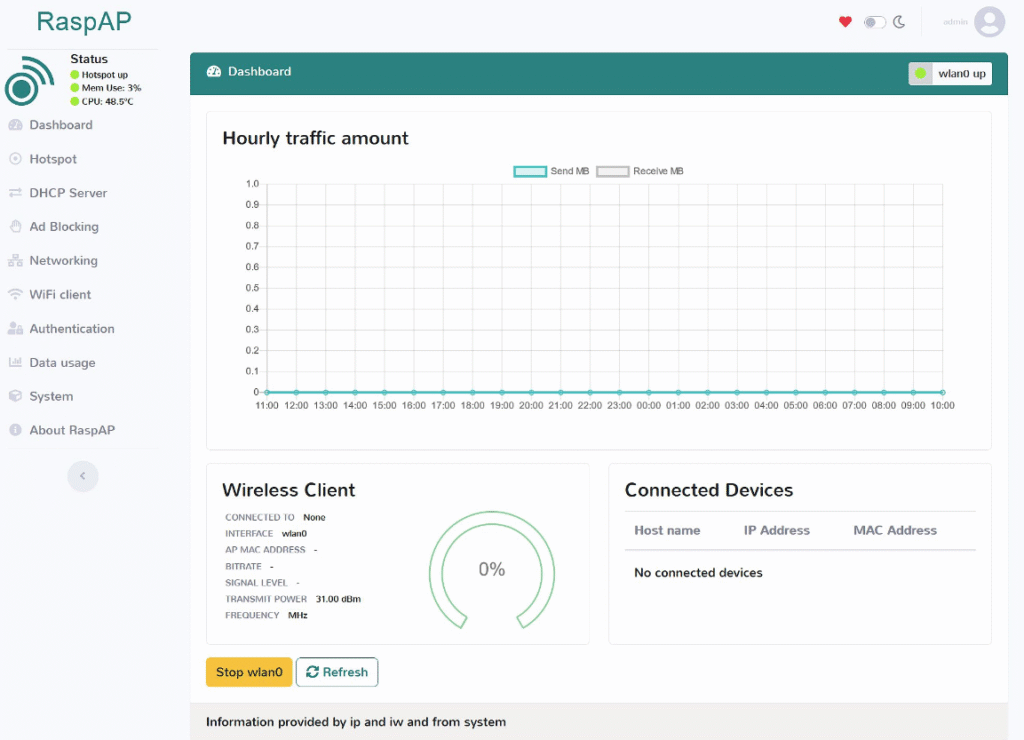
RaspAP was installed to transform the Raspberry Pi into a functional Wi-Fi hotspot, managing DHCP services, IP addressing, SSID configuration, and wireless security through a web interface.
Step 4 : Captive Portal Setup
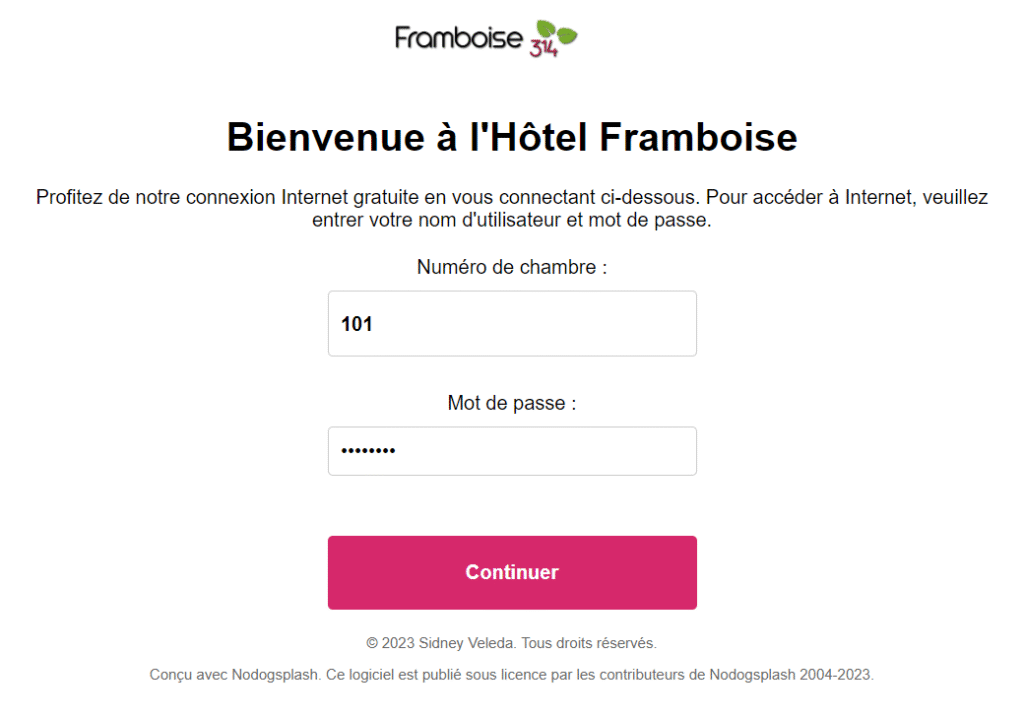
A captive portal was implemented using Nodogsplash to control user access. Authentication rules, session duration, and client limits were configured to simulate a real public Wi-Fi environment. The captive portal page was customized using HTML and CSS to provide a hotel-style user interface with branded visuals and a simple authentication system.